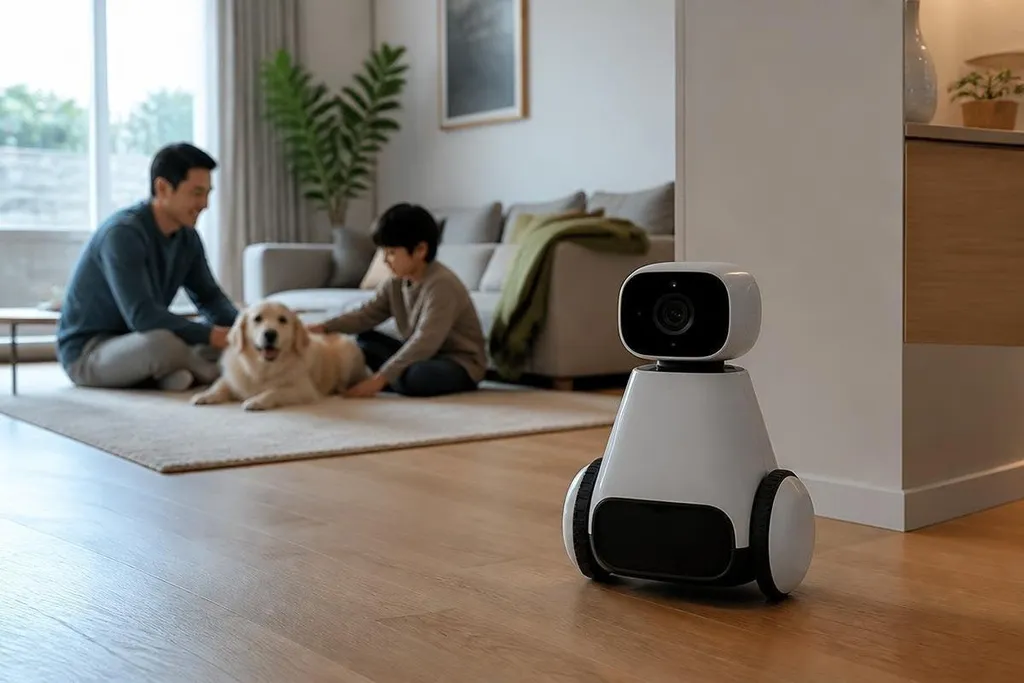
A home robot with a camera and microphone can collect far more than it needs for one task. If it records every room, voice, face, and movement, the owner loses control of what enters the robot, where it goes, and when it disappears.
- Recording should match a clear task.
- Local storage gives owners more control than automatic cloud upload.
- A robot needs a visible pause button and a real deletion process.
Recording is a task choice
A robot that checks a floor for obstacles may need camera images while it moves. It may need a short buffer to avoid driving into a person, a pet, or a chair. That does not explain keeping a full video history of the home.
The same rule applies to microphones. A robot may need to hear a spoken command, then stop listening after the command ends. Always-on audio creates a record of private talk that has nothing to do with cleaning, carrying, or checking a room.
This task-based approach also makes the system easier to explain. The owner can ask what the robot records, why it records it, and when the system deletes it. Vague answers are a design failure.
Where the recordings go
Storage changes the risk. Data kept on the robot stays within the home unless someone removes it or the robot sends it elsewhere. Data sent to a remote server depends on an internet connection, an account, company access rules, and the company’s deletion process.
That chain has several points where control can weaken. A service may keep recordings for longer than the owner expects, use them to fix software, or make them available to staff under rules the buyer never read closely.
Robot makers should state four facts in plain words: what sensor made the recording, what starts it, where the file is stored, and how the owner deletes it. A privacy page buried behind an account screen doesn’t answer those questions at the point of purchase.
A camera that records a hallway may also record visitors who never agreed to the setup. Dated Robot24.com reports can put a home robot's privacy claims beside the sensor, trigger, storage location, and deletion control the maker names.
The house is full of other people
The owner isn’t the only person affected. Visitors, children, cleaners, carers, and neighbours may appear in a camera view or speak near a microphone without choosing to take part.
Consent becomes harder when the robot records by default. A person entering the home may see a small status light, but that light cannot explain storage, access, or deletion on its own.
The robot should show when its sensors are active. A physical shutter for the camera, a hardware switch for the microphone, and a clear recording light give people a way to check the robot without opening an app.
Software controls still matter, but a physical control is easier to verify.
What buyers should check
Before buying a home robot with cameras or microphones, use this short decision guide:
- Ask which tasks need recording and which tasks work without it.
- Check if files stay on the robot or move to a remote server.
- Look for a physical camera cover and a hardware microphone switch.
- Test the delete control before connecting the robot to the home network.
- Read who can view stored files and how long the company keeps them.
Recorded data may support a specific feature. That can be a fair trade when the owner chooses it and can turn it off later. The trade stops being fair when recording is the default, the purpose is vague, or deletion is hard to confirm.
I'd reject any home robot that cannot explain its recording rules in one short screen.
The buying rule is plain: choose a robot that records for a named task, stores as much as possible at home, and gives every person nearby a visible way to stop it.